












Every time you send a prompt to a cloud AI provider, your data leaves your infrastructure. For companies in healthcare, banking, insurance, or law enforcement, that alone can be a compliance problem, not just an inconvenience, which is why AI governance and compliance belongs in the decision from the start. That’s why more engineering teams are turning to self-hosted ai agents: systems that run on your own servers, under your own security policies, with full control over how data moves and where it’s stored.
If you’re comparing options right now, you want a straight answer, not marketing copy. This article breaks down seven proven open-source platforms for running agents on infrastructure you own, covering what each tool does well, where it falls short, and which use cases it fits best, from simple task automation to complex multi-agent orchestration.
We’ve built and deployed AI systems for over 250 clients, so this list reflects what actually holds up in production, not just what looks good in a demo. You’ll get a practical comparison of deployment complexity, scalability, and integration effort for each platform, so you can pick the one that matches your team’s technical capacity and your organization’s data governance requirements, without gambling on a tool that stalls once real workloads hit it.
1. LangChain and LangGraph
LangChain started as a library for chaining prompts and tools together, but its real value today comes from LangGraph, the framework built on top of it for orchestrating multi-step, stateful agents. Together they form the closest thing to a standard toolkit for building self-hosted ai agents that need to reason across multiple steps, call external APIs, and maintain memory between turns. If you’ve outgrown a single prompt-response chatbot and need something that plans, retries, and branches based on conditions, this is usually where teams land first.
How it works
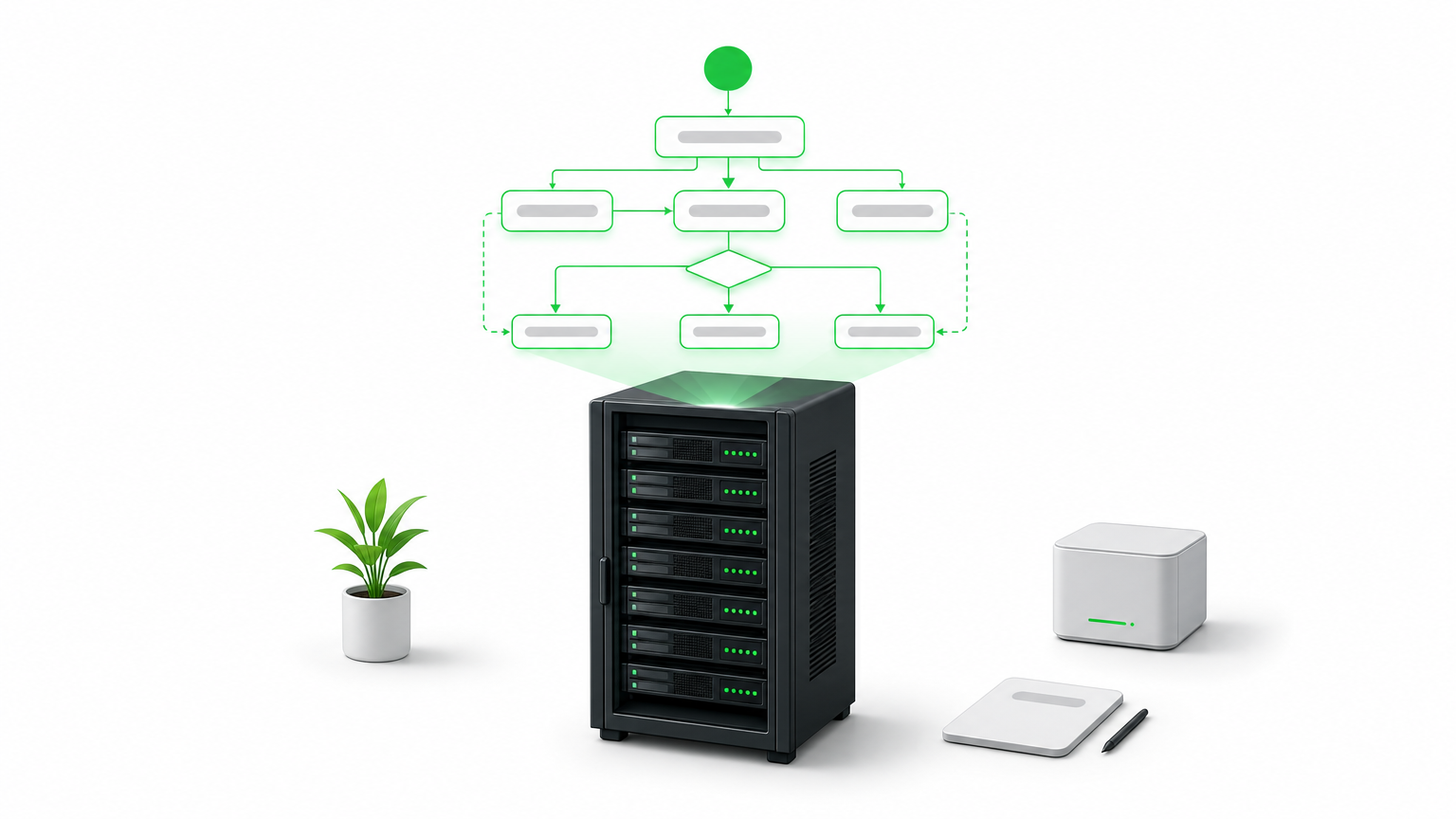
LangGraph models an agent as a directed graph, where each node represents a function, tool call, or LLM invocation, and edges define how control passes between them. This graph structure matters because it replaces the fragile if-else logic that older agent frameworks relied on. You define state explicitly, so the agent can pause, resume, or loop back without losing context. Typical production setups include:
- A vector database (Chroma, Pgvector, or Weaviate) for retrieval-augmented generation
- A self-hosted model server (Ollama, vLLM, or a local Hugging Face deployment) or an API connection to a hosted LLM
- A persistence layer for checkpointing agent state between steps
- LangSmith or an open-source alternative for tracing and debugging agent runs
A graph-based agent doesn’t just answer questions, it remembers what it tried, what failed, and what to do next.
Who it’s for
Engineering teams with Python experience and at least one developer comfortable reading and modifying agent logic will get the most out of this stack. It suits companies building custom enterprise AI automation rather than deploying an off-the-shelf chatbot, think insurance claims triage, multi-step data enrichment pipelines, or internal copilots that need to query several systems before responding. It’s not the fastest path to a working demo, and teams without in-house engineering support often underestimate the ramp-up time before their first agent runs reliably in production.
Pricing and licensing
Both LangChain and LangGraph are open source under the MIT license, so you pay nothing to run them on your own infrastructure. Costs come from what you connect them to: compute for self-hosted models, API fees if you call hosted LLMs, and engineering time to build and maintain the graph logic. LangSmith, the observability layer, has a free tier and paid plans starting around $39 per seat per month, though you can substitute open-source tracing tools if you want a fully self-hosted stack with zero recurring fees.
2. Dify
Dify takes a different approach than LangChain: instead of a code-first framework, it gives you a visual application builder for creating and deploying LLM agents, complete with a web interface for managing prompts, datasets, and workflows. If your team wants to stand up a working agent without writing orchestration code from scratch, Dify gets you there faster, while still letting developers drop into the backend when they need custom logic.
How it works
Dify packages everything an agent needs into one deployable stack: a workflow canvas for chaining prompts and tools, built-in retrieval-augmented generation with document upload and chunking, and an API layer that turns any workflow into a callable endpoint. You install it via Docker Compose, point it at a self-hosted or hosted LLM, and manage agents through the dashboard rather than a codebase.
A visual builder won’t replace a skilled engineer, but it lets that engineer ship an agent in a day instead of a sprint.
Who it’s for
Product teams and smaller engineering shops that want self-hosted AI agent deployment without a heavy coding lift will find Dify a good match. It works well for internal tools, customer support bots, and document Q&A systems where the logic is fairly linear. Teams needing complex branching, long-running state, or deep custom orchestration will eventually bump into the platform’s limits and may need to graduate to something like LangGraph.
Pricing and licensing
Dify’s self-hosted community edition runs under an open-source license with no seat fees, and you can deploy it entirely on your own servers. Dify also offers a managed cloud version with paid tiers if you’d rather skip infrastructure management, but for teams prioritizing data control, the self-hosted route keeps everything, including prompts and documents, inside your own network.
3. Flowise
Flowise takes the visual-builder idea one step further by focusing on drag-and-drop agent construction for teams that live closer to the LangChain ecosystem but don’t want to write graph code by hand. Built on top of LangChain’s node library, it exposes the same building blocks, chains, retrievers, memory modules, and tool calls, through a canvas interface, making it one of the more approachable self-hosted ai agents platforms for teams that already understand LangChain concepts but want a faster way to assemble them.
How it works
Behind the interface, Flowise runs on Node.js and stores your flows as JSON, which means you can version them in git and move them between environments without rebuilding anything by hand. Each node on the canvas maps directly to a LangChain component, so an experienced developer can open the underlying code and extend a node when the visual layer runs out of options. Deployment typically looks like:
- Docker container running the Flowise server and UI
- A connected vector store for document retrieval
- A model endpoint, either local (Ollama) or hosted
- Exported flow JSON stored in version control for rollback and review
The value of a canvas tool isn’t skipping code, it’s giving your team a shared, visual reference for logic that used to live only in a developer’s head.
Who it’s for
Flowise suits teams split between technical and non-technical members, where a product manager or analyst wants to prototype an agent’s logic visually, then hand it to a developer for hardening. It’s a strong fit for rapid agent prototyping and internal tools that don’t need heavy custom orchestration, but less suited to teams building highly complex, stateful multi-agent systems from the ground up.
Pricing and licensing
Flowise is open source under the Apache 2.0 license, so self-hosting costs nothing beyond your own infrastructure and any LLM API fees. A hosted cloud version exists for teams that don’t want to manage servers, with paid plans layered on top, but the self-hosted deployment remains free and fully under your control.
4. n8n
n8n started as a general workflow automation tool, closer to Zapier than to an agent framework, but recent versions added native AI agent nodes that let you build actual reasoning workflows instead of simple triggers-and-actions. That history shows: n8n is less about pure agent orchestration and more about connecting agents into the rest of your business systems, which makes it one of the more practical self-hosted ai agents options for teams that already run automation pipelines and want AI layered into them, not built as a standalone project.
How it works
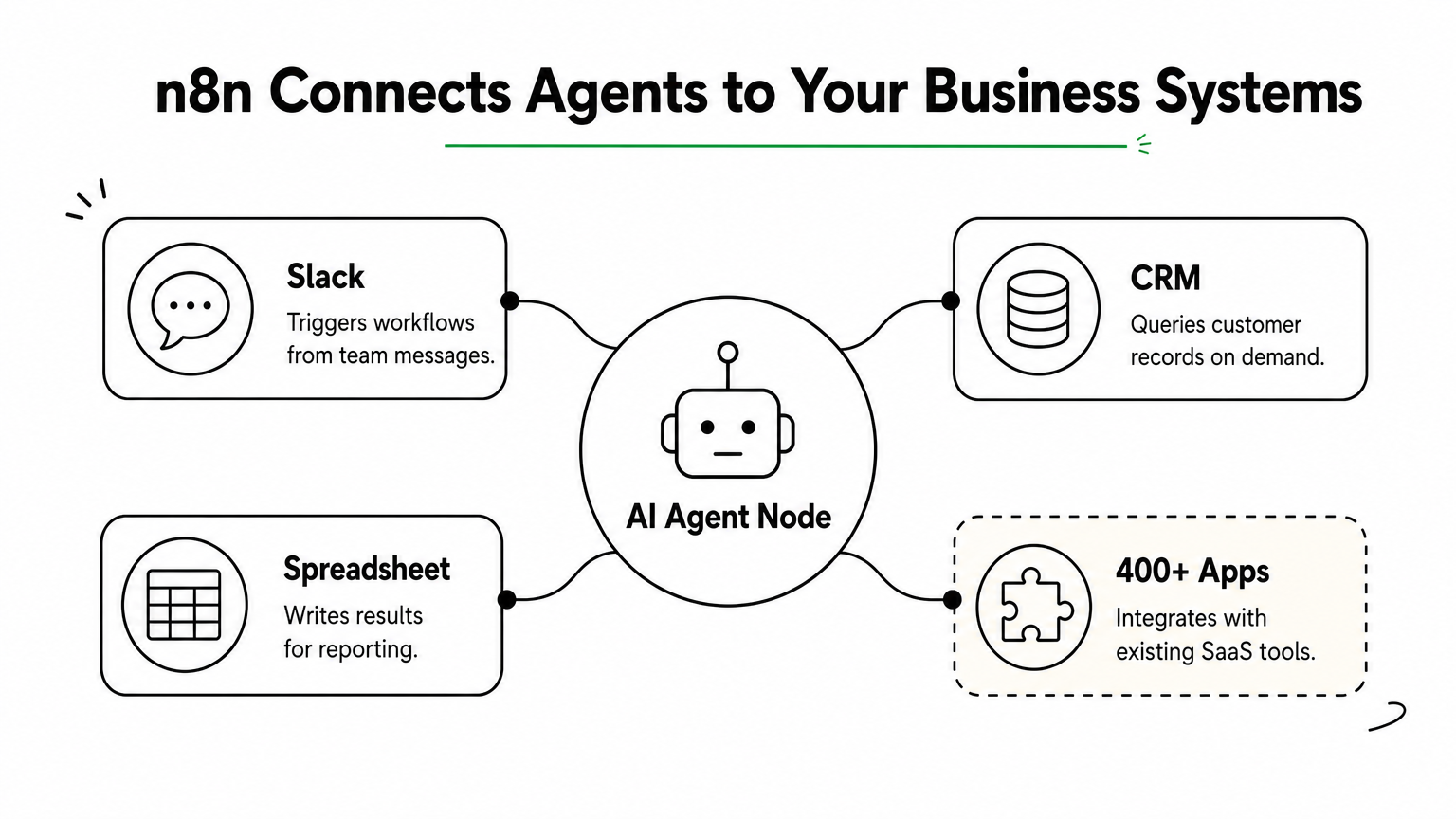
Workflows in n8n live on a visual canvas where each node handles a task: an HTTP call, a database query, a conditional branch, or now, an AI agent node that wraps an LLM with tools and memory. You self-host the whole thing with a single Docker container or a docker-compose stack, connect it to Postgres for workflow storage, and point the AI nodes at OpenAI, Anthropic, or a local model server like Ollama. Because it already integrates with over 400 apps and services, many of them the same platforms and tools we build with, an agent built here can trigger from a Slack message, query a CRM, and write results to a spreadsheet without custom glue code.
An agent is only useful once it can act on the systems your business actually runs, and that’s where n8n earns its place.
Who it’s for
Operations and IT teams running intelligent process automation across existing SaaS tools will get the most value here, especially if the agent’s job is to fetch data, apply logic, and push updates rather than hold complex multi-turn conversations. It’s a weaker fit for teams needing deep custom reasoning chains or long-running stateful agents.
Pricing and licensing
n8n’s self-hosted edition is source-available under a fair-code license, free for internal use with no workflow limits, though commercial resale requires a separate agreement. Its hosted cloud plans start around $20 per month if you’d rather skip server management.
5. AutoGPT platform
AutoGPT was one of the first projects to popularize the idea of a fully autonomous agent loop, an AI that sets its own subtasks, executes them, and self-corrects without a human approving every step. The original 2023 hype cycle overstated what it could do, but the current AutoGPT platform has matured into a legitimate option for teams who want an agent that runs continuously toward a goal rather than responding to single prompts.
How it works
The platform now ships as a modular system with a visual workflow builder, a backend server, and a library of reusable "blocks" that represent actions like web search, file operations, or API calls. You deploy it with Docker Compose, connect it to an LLM provider or a self-hosted model, and define a goal along with the tools the agent can access. From there, the agent loops through planning, execution, and evaluation steps on its own, logging each decision so you can audit why it took a given action.
An autonomous loop is only as safe as the guardrails you put around it, so budget for monitoring before you budget for automation.
Who it’s for
Teams experimenting with autonomous task execution, like continuous research gathering, monitoring, or multi-step content pipelines, get the most value here. It suits organizations comfortable putting engineering time into sandboxing and reviewing agent behavior, since unsupervised loops can rack up API costs or take unintended actions if left unchecked. It’s a poor starting point for teams that need predictable, auditable single-purpose agents, since the open-ended design trades control for autonomy.
Pricing and licensing
AutoGPT is open source under the MIT license, so self-hosting the platform costs nothing beyond your own infrastructure and whatever LLM you connect it to. There’s no official paid tier tied to the core project, which keeps the cost model simple, but you’ll want to set hard spending caps on any connected API keys before letting an autonomous loop run unattended.
6. OpenHands
OpenHands, previously known as OpenDevin, targets a narrower problem than the general-purpose frameworks above: it’s an autonomous coding agent that writes, tests, and debugs code inside its own sandboxed environment. Instead of chaining prompts around a business workflow, OpenHands acts like a junior developer you can hand a ticket to, one that can read a codebase, make changes, run the test suite, and iterate until the task passes.
How it works
The agent runs inside a Docker-based sandbox that gives it a real shell, a file system, and a browser it can control, so it isn’t limited to generating text suggestions. You connect it to an LLM, either a hosted model or a self-hosted one through an OpenAI-compatible endpoint, and assign it a task through the web UI or API. From there it plans its steps, executes commands, checks the output, and retries when something breaks, logging every action for review. Typical deployment includes:
- A Docker host with enough CPU and memory to run isolated sandboxes per task
- An LLM endpoint capable of strong code generation (GPT-4 class or better tends to perform best)
- Git access scoped to the repositories the agent is allowed to touch
Give a coding agent shell access without version control guardrails, and you’re one bad run away from a broken branch.
Who it’s for
Engineering teams looking for self-hosted ai agents that handle real development work, bug fixes, dependency upgrades, small feature branches, will get the most value here. It suits organizations with existing CI/CD pipelines that can absorb agent-generated pull requests for human review, rather than teams expecting fully unattended deployment.
Pricing and licensing
OpenHands is open source under the MIT license, free to self-host with no seat fees. Your ongoing cost is compute for the sandbox environments plus whatever LLM API or local model you connect, since coding tasks tend to run longer and use more tokens than typical chat agents.
7. Tabby
Tabby is a self-hosted AI coding assistant built for teams that want Copilot-style code completion without sending a single line of proprietary code to a third-party API. Where OpenHands acts like a junior developer executing whole tasks, Tabby stays closer to the editor, offering inline suggestions, chat, and code search as you type. If your legal or security team has blocked GitHub Copilot over data residency concerns, Tabby is usually the first alternative engineers ask about.
How it works
Tabby runs as a single Docker container that bundles a model server, a completion API, and an admin dashboard for managing users and usage analytics. It supports open models like StarCoder, CodeLlama, and DeepSeek Coder, and you can swap in whichever one fits your GPU budget and language mix. Editor plugins for VS Code, JetBrains IDEs, and Vim connect straight to your self-hosted instance, so completions never leave your network. A typical setup looks like:
- A GPU-equipped server (even a single consumer GPU handles small teams)
- A quantized open-source code model matched to your available VRAM
- The Tabby server container plus editor extensions rolled out fleet-wide
Code completion is only trustworthy at a company scale once you can prove the model never phones home with your source.
Who it’s for
Engineering organizations with strict IP or client confidentiality requirements, think agencies, defense contractors, or fintech, benefit most from Tabby’s fully local footprint. It also suits teams that already run local model deployment for other workloads and want to reuse that infrastructure rather than paying per-seat for a hosted assistant.
Pricing and licensing
Tabby is open source under Apache 2.0, free to self-host with no per-seat fees regardless of team size. Your real cost is GPU hardware, since completion quality and latency both scale with the model you can afford to run locally.
Finding the right fit for your infrastructure
No single platform on this list wins every use case. LangGraph handles complex, stateful reasoning; Dify and Flowise get you to a working agent faster; n8n ties agents into systems you already run; AutoGPT and OpenHands push toward autonomy; Tabby keeps code completion entirely in-house. The right choice depends on your team’s engineering depth, your compliance requirements, and how much control you actually need over where data lives.
Running self-hosted ai agents well takes more than picking a framework off this list. You still need the infrastructure, monitoring, and governance to keep agents reliable once real workloads and real users hit them, and that’s where most in-house builds stall out. If you’d rather skip the trial-and-error and get a system that’s production-ready from day one, talk to Hatzs Dimensions about deploying autonomous AI agents in your infrastructure and put a team behind it that’s already done this 250 times over.
هل تريدون تنمية أعمالكم؟
التصنيفات
صُمّم للجريئين
نساعد الشركات الطموحة على تحويل أفكارها إلى أنظمة ذكاء اصطناعي وبرمجيات ومؤسسات جاهزة للإنتاج. احصل على رؤى حول الذكاء الاصطناعي والأتمتة والتحول الرقمي تصلك مباشرة إلى بريدك الإلكتروني.
200+ حلاً تم تسليمها في 11+ قطاعاً، فلنبنِ معاً ما هو قادم.