











Infrastructure cloud services are computing resources that a provider rents to you over the internet: servers (compute), storage, and networking, plus the virtualization, security, and management software that ties them together. You use them on demand and pay for what you consume, instead of buying and running your own hardware. The delivery model is called infrastructure as a service (IaaS), and AWS, Microsoft Azure, and Google Cloud are the best-known providers.
This article goes beyond that definition. You will see why these services matter to a business, what they are built from, how IaaS differs from PaaS and SaaS, which services and providers you will meet in practice, and how to choose and set them up without overspending.
At Hatzs Dimensions, we design, migrate, and operate cloud infrastructure on AWS, Azure, and Google Cloud. The advice below comes from that work, not from a glossary.
Why infrastructure cloud services matter
Infrastructure cloud services matter because they turn a large up-front hardware purchase into a running cost that follows your real usage. They also remove the weeks of lead time it takes to buy, ship, and install equipment. For most businesses, that changes how fast they can launch and how much risk they carry.
Capacity you pay for only when you use it
With your own data center, you size hardware for your busiest day and pay for it all year. With cloud infrastructure, you scale resources up and down as demand moves, and the bill follows.
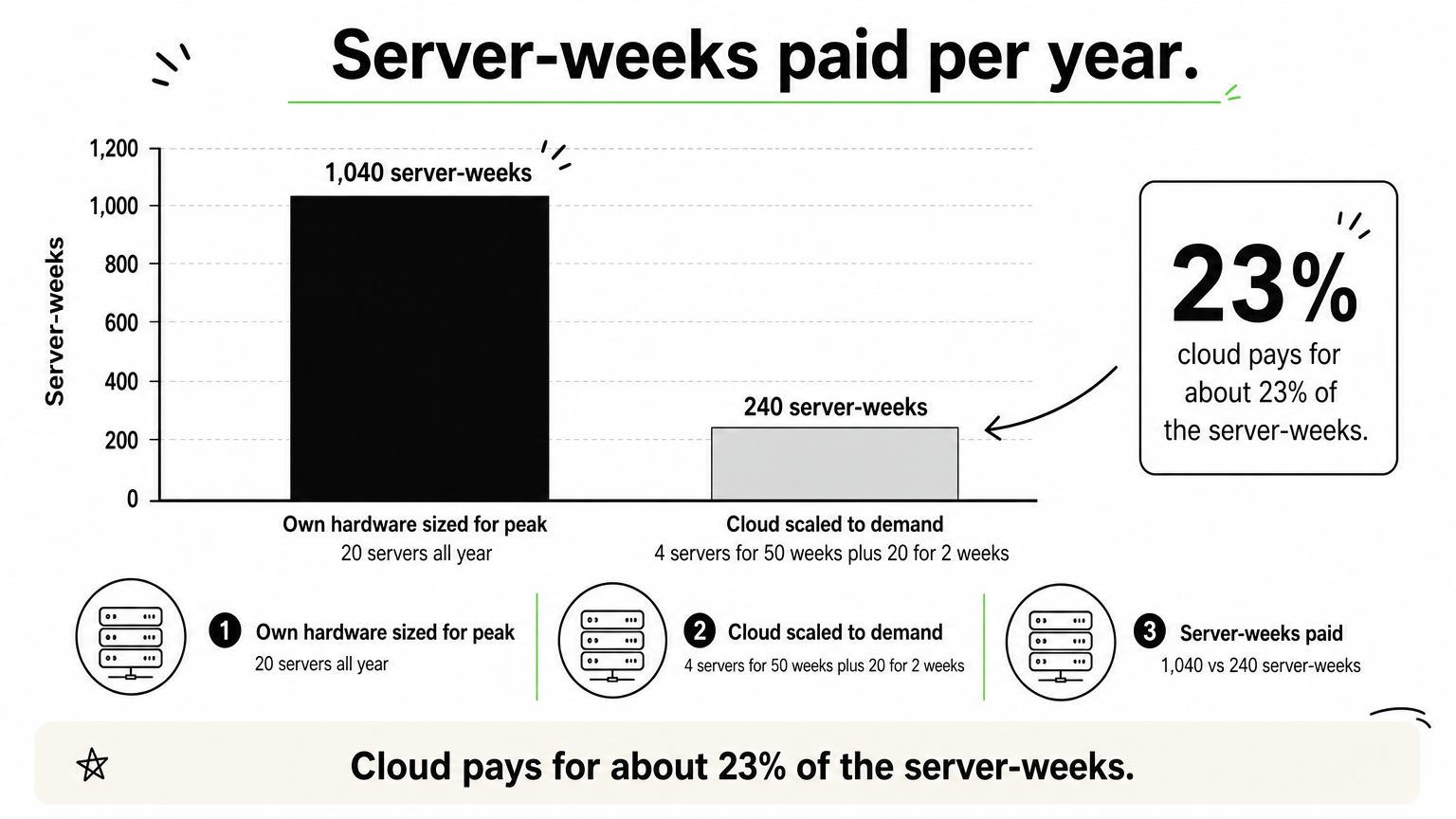
Here is a simplified example. A retailer needs 4 servers for most of the year and 20 servers for a 2-week holiday peak.
| Approach | Capacity | Server-weeks paid per year |
|---|---|---|
| Own hardware sized for the peak | 20 servers, all 52 weeks | 20 × 52 = 1,040 |
| Cloud, scaled to demand | 4 servers for 50 weeks, 20 for 2 weeks | (4 × 50) + (20 × 2) = 240 |
The cloud setup pays for about 23% of the server-weeks. The comparison ignores differences in unit price, and a cloud server-week usually costs more than an owned one. Steady, predictable workloads can still be cheaper on owned or reserved capacity. The savings are real when demand varies.
Cloud infrastructure pays off when your demand is uneven, because you stop paying for idle capacity.
Speed and room to experiment
A new server in the cloud takes minutes to provision, not weeks. That makes experiments cheap. You can spin up a test environment, run a load test, and delete it the same afternoon.
Providers also run data centers in many regions. You can place an application close to customers in another country without building anything there.
Resilience and security you inherit
Large providers replicate data across multiple data centers and offer automated backups and failover. A small company rarely affords that level of redundancy on its own.
Security works as a shared responsibility. The provider secures the facilities and the physical hardware. You secure your configurations, identities, and data. Most cloud incidents trace back to the customer’s side of that line, such as an open storage bucket or an over-permissive account.
The building blocks of cloud infrastructure services
Every infrastructure cloud service is built from compute, storage, and networking. These run on physical servers in provider data centers and become usable through virtualization, security controls, and management software. If you understand these layers, any provider’s service catalog becomes easier to read.
Compute, storage, and networking
These three form the core of IaaS.
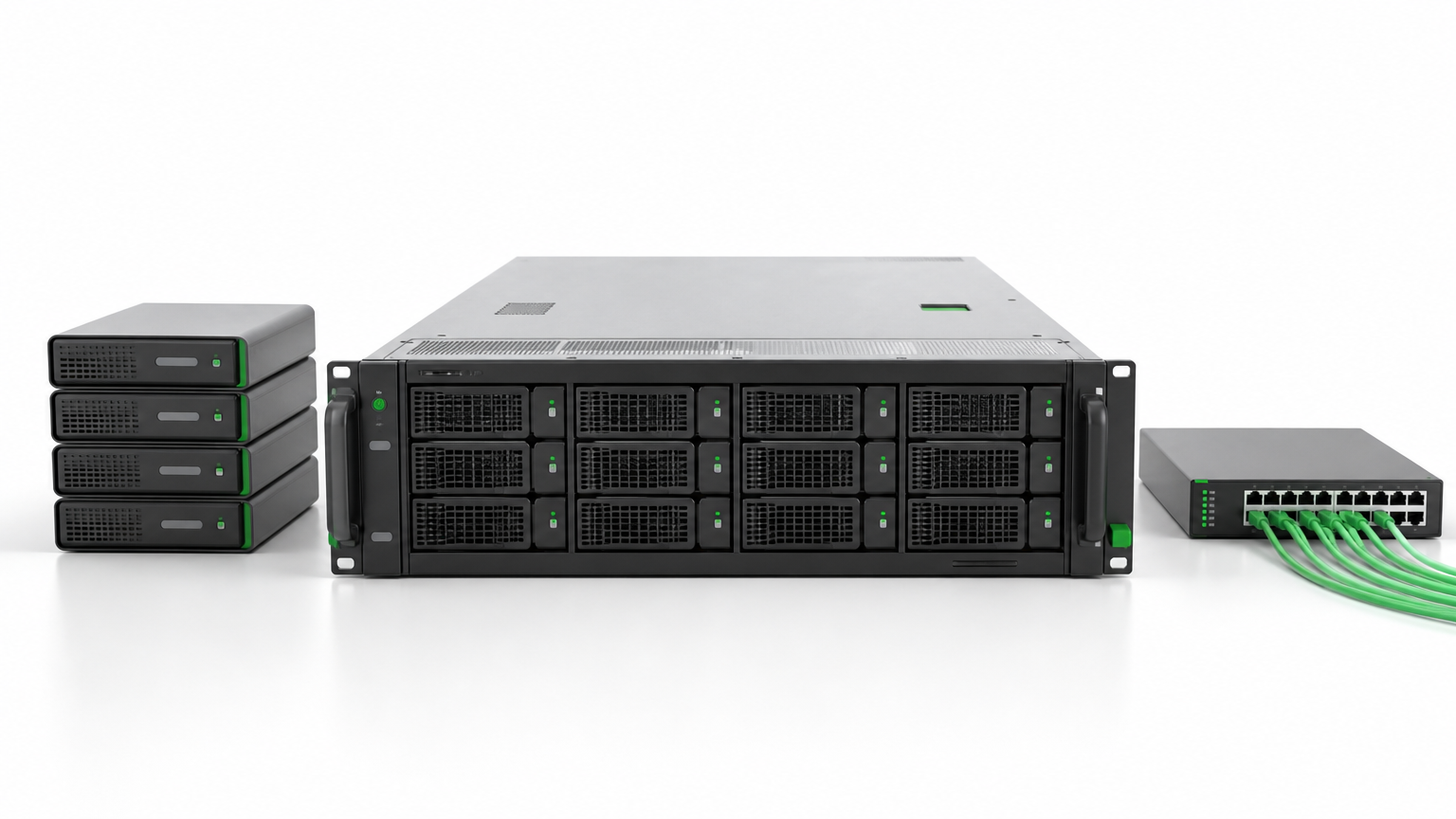
- Compute runs your workloads. It comes as virtual machines, containers, or bare metal servers. Virtual machines suit variable workloads, and bare metal suits data-heavy or latency-sensitive ones.
- Storage holds your data. Object storage fits files, images, and backups. Block storage fits databases and other I/O-heavy workloads. File storage fits shared drives.
- Networking connects everything. It includes virtual networks, subnets, load balancers that spread traffic across servers, firewalls, DNS, and private links back to your office or data center.
Virtualization, security, and management software
Virtualization is what makes the physical layer rentable. A hypervisor splits one physical server into several isolated virtual machines, and each tenant sees only its own slice. That is how a provider shares hardware safely among thousands of customers.
On top of that sit the security services: identity and access management, encryption, and network controls. Management software completes the stack. It includes the web console, APIs, monitoring, and cost tools. Mature teams manage everything through code, so servers and networks are defined in versioned files rather than clicked together by hand. That makes environments repeatable and auditable.
Infrastructure versus architecture
Cloud infrastructure is the set of resources you rent. Cloud architecture is the design that decides which resources you use, how they connect, and how they fail safely.
Think of a building. The materials are the infrastructure, and the blueprint is the architecture. Good services with a poor design still produce an expensive, fragile system. That is why architecture decisions come before provisioning.
Infrastructure is what you rent, and architecture is how you arrange it. Both decide your cost and reliability.
Where IaaS fits among cloud service models
IaaS is the layer where you rent raw infrastructure and manage everything above it yourself. Platform as a service (PaaS) adds a managed environment for running code. Software as a service (SaaS) delivers a finished application. Each step up hands more of the work to the provider and gives you less control.
IaaS, PaaS, and SaaS compared
The practical question is who manages what.
| Model | What the provider gives you | What you manage | Examples |
|---|---|---|---|
| IaaS | Virtual machines, storage, networks | Operating system, runtime, applications, data | Amazon EC2, Azure Virtual Machines, Google Compute Engine |
| PaaS | Managed runtime, middleware, databases | Your application and data | AWS Elastic Beanstalk, Azure App Service, Google App Engine |
| SaaS | A complete application | Users, settings, your data | Microsoft 365, Slack |
Serverless computing and function as a service (FaaS) sit beyond these three. With a service like AWS Lambda, you supply only code, and the provider runs it and bills per execution.
Choose IaaS when you need control over the operating system, custom software, or a lift-and-shift of existing servers. Google’s own overview of IaaS describes the same trade-off between control and convenience.
Public, private, hybrid, and multicloud
Delivery models describe what you rent. Deployment models describe where it lives.

- Public cloud: shared infrastructure owned by a provider and delivered over the internet. It is the cheapest to start and the fastest to scale.
- Private cloud: infrastructure dedicated to one organization, hosted on-site or by a third party. It suits strict data or compliance needs.
- Hybrid cloud: a mix of public, private, and on-premises systems. Sensitive data can stay private while bursty workloads run in public cloud.
- Multicloud: services from more than one provider, often to avoid lock-in or to use each provider’s strongest services.
Most mid-sized and large companies end up hybrid or multicloud, often by accident. Plan for it early so identity, networking, and monitoring work across all environments.
Choose the model by who must control what. The more control you need, the more you have to manage yourself.
Examples and major providers of cloud infrastructure services
You can recognize infrastructure cloud services by what they do, and every major provider sells the same core categories under different names. Once you know the three building blocks, you can map any provider’s catalog onto them.
Examples by building block
| Building block | AWS | Microsoft Azure | Google Cloud |
|---|---|---|---|
| Virtual machines | Amazon EC2 | Azure Virtual Machines | Compute Engine |
| Object storage | Amazon S3 | Azure Blob Storage | Cloud Storage |
| Virtual network | Amazon VPC | Azure Virtual Network | Virtual Private Cloud |
| Load balancing | Elastic Load Balancing | Azure Load Balancer | Cloud Load Balancing |
| Managed Kubernetes | Amazon EKS | Azure Kubernetes Service | Google Kubernetes Engine |
| Identity and access | AWS IAM | Microsoft Entra ID | Google Cloud IAM |
| Monitoring | Amazon CloudWatch | Azure Monitor | Cloud Monitoring |
Read across a row, and you see the same job done by three vendors. Read down a column, and you see how one provider covers the full stack.
The major providers
AWS, Microsoft Azure, and Google Cloud are the three providers most companies shortlist first. Each has a broad catalog, global regions, and a large partner ecosystem. Beyond them, a ten-provider shortlist usually adds Oracle Cloud Infrastructure, IBM Cloud, Alibaba Cloud, Akamai Connected Cloud, DigitalOcean, OVHcloud, and Tencent Cloud.
No provider is best in general. The right one depends on what you already run, which regions you need, and what your team knows. A company built on Microsoft software often finds Azure the natural fit. A team with heavy data and analytics work may lean toward Google Cloud. AWS often wins on breadth of services. Smaller providers can be cheaper and simpler for plain compute.
Pick based on a test workload and a cost estimate for your own usage, not on a ranking list.
Every provider sells the same core building blocks. Differences show up in pricing, regions, and the tools around them.
How to choose and set up infrastructure cloud services
Start from your workloads and requirements, not from a provider. Decide what must run where, build a secured foundation as code, migrate in phases, and track cost from the first day. This order prevents most of the expensive rework that teams hit later.
Seven steps from workload review to go-live
- Inventory your workloads and dependencies. List each application, its data, and what it talks to. Hidden dependencies cause most failed cutovers.
- Write down your requirements. Cover latency, data residency, compliance rules such as HIPAA or PCI DSS, and recovery targets (RTO and RPO).
- Choose the deployment model and provider. Match the model to your control needs, then test one representative workload on your shortlist.
- Build the foundation first. Set up accounts, network layout, identity, and security guardrails before any application moves.
- Define the infrastructure as code. Version it, review it, and deploy it through a pipeline so every environment matches.
- Migrate in waves. Move low-risk workloads first, verify data after each transfer, and plan cutovers with a rollback path.
- Monitor, tag, and review cost. Tag every resource by owner and project, set alerts, and review spend monthly.
Mistakes that inflate bills and risk
- Oversizing. Teams provision for peak loads that never arrive. Rightsizing after a few weeks of real data often cuts the bill.
- Idle resources. Forgotten test servers and unattached disks keep billing.
- Ignoring data transfer fees. Data leaving a provider’s network is often charged. Check egress costs before you split a workload across clouds.
- Misreading shared responsibility. The provider does not configure your access rules for you.
- Untested recovery. A backup you never restored is an assumption, not a plan.
How Hatzs Dimensions supports each step
If you want help with these steps, our cloud services follow the same sequence. Cloud Strategy & Architecture covers AWS, Azure, and Google Cloud, with a four-phase roadmap and security built in from day one. Cloud Migration uses dependency mapping, validated data transfer, and phased cutovers. Support & Managed Cloud Services adds round-the-clock monitoring after go-live, and Cloud Cost Optimization applies FinOps practices and rightsizing to your bill.
Build the secured foundation before you move a single workload. Fixing it afterward costs far more.
Start with the workload, then pick the services
Infrastructure cloud services give you rented compute, storage, and networking, delivered as IaaS and managed through software. They pay off when demand varies, when you need speed, and when you want resilience without building it yourself. The services look different across AWS, Azure, and Google Cloud, but the building blocks are the same.
The choice that matters most is not the provider. It is understanding your workloads, your compliance needs, and who is responsible for what. Get those right, and the rest is execution. If you want a partner to design, migrate, and run your environment, you can talk to Hatzs Dimensions about your cloud infrastructure.
هل تريدون تنمية أعمالكم؟
التصنيفات
صُمّم للجريئين
نساعد الشركات الطموحة على تحويل أفكارها إلى أنظمة ذكاء اصطناعي وبرمجيات ومؤسسات جاهزة للإنتاج. احصل على رؤى حول الذكاء الاصطناعي والأتمتة والتحول الرقمي تصلك مباشرة إلى بريدك الإلكتروني.
200+ حلاً تم تسليمها في 11+ قطاعاً، فلنبنِ معاً ما هو قادم.