











AI agents integration is the work of connecting an AI agent to the data sources, tools, and business systems it needs, so it can read current information and take real actions instead of only generating text. In practice, that means giving the agent secure access to your CRM, help desk, database, or ERP through APIs, webhooks, or a standard such as the Model Context Protocol, with permissions that match what the agent is allowed to do.
A language model on its own knows only its training data and whatever you paste into the prompt. Integration is what lets it check an order, update a ticket, or route a lead. This guide explains why integration decides whether an agent works, how to build it step by step, which methods and platforms fit which job, and how to keep the result secure.
Hatzs Dimensions builds AI agents and the data and integration layers behind them for companies ranging from Series A startups to Fortune 500 teams. The advice below comes from that production work.
Why AI agents integration matters
Integration matters because an agent is only as useful as the systems it can see and change. Without it, even a strong model guesses, and those guesses show up as wrong answers your users notice.
An agent without integrations can only talk
An unconnected agent works from its training data and the text in the prompt. It cannot know that a customer’s order shipped this morning, that a contract renewal is due Friday, or that an invoice was already paid. Integration fixes this in two directions. Read access gives the agent current context, and write access lets it act on that context by updating a record or sending a message.
This is also what separates an agent from a chatbot. A chatbot answers a question. An agent completes a task across several systems. That is why ai agents integration is usually the hardest and most valuable part of an agent project, more than the choice of model.
An agent is only as capable as the systems it can read and the actions it is allowed to take.
What integration changes in practice
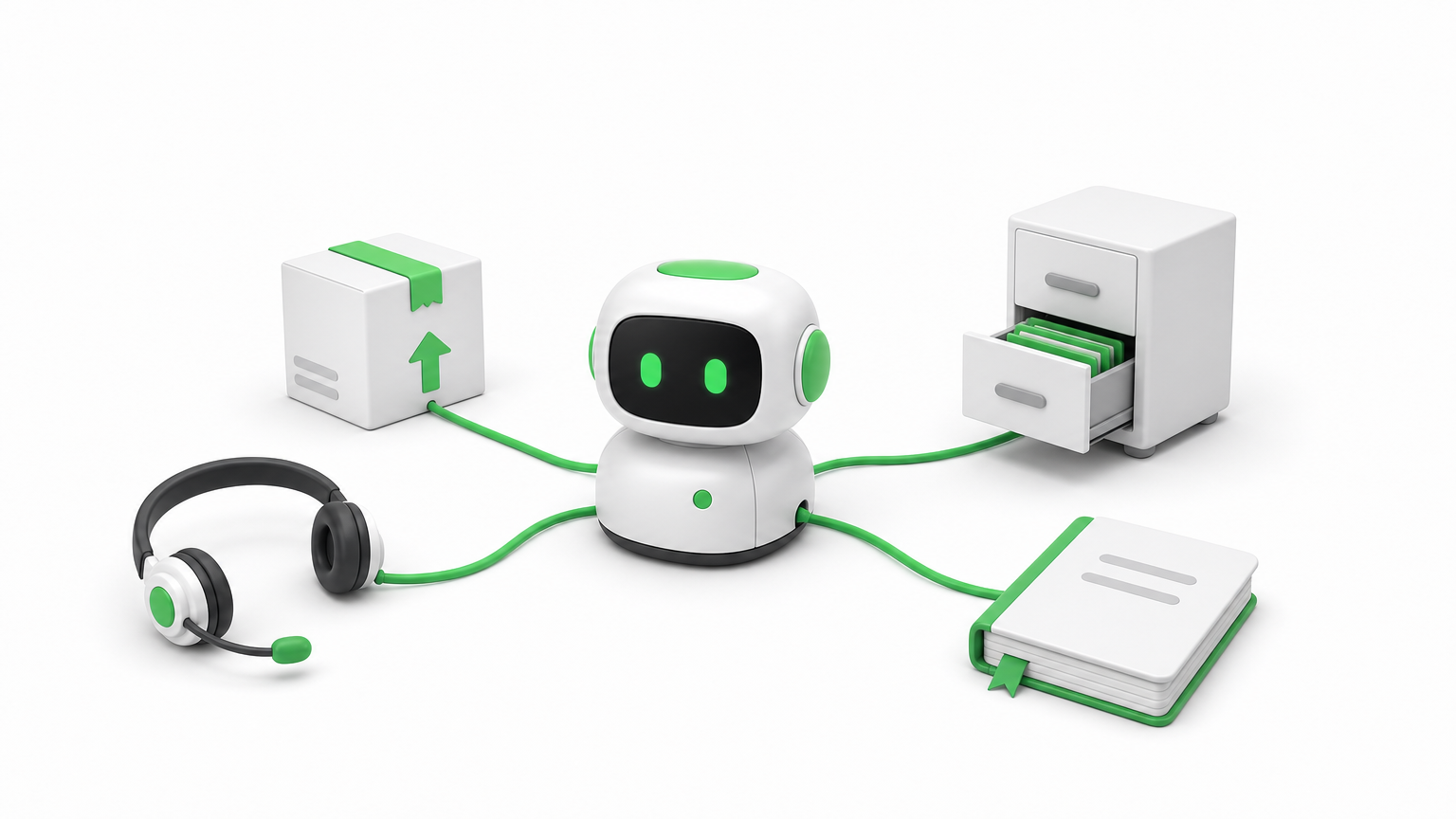
The same model behaves very differently depending on what you connect it to. Here is how the connections shape four common AI agent use cases.
| Agent | Reads from | Acts on |
|---|---|---|
| Support agent | Help desk, order system, knowledge base | Drafts replies, updates ticket status, starts a refund request |
| Lead routing agent | CRM, marketing automation | Assigns the rep, posts a summary in Slack |
| Recruiting agent | Applicant tracking system, HR system | Sends interview reminders, surfaces matching candidates |
| Finance agent | Accounting software, email | Flags mismatched invoices, prepares entries for review |
Notice that every row needs at least two systems. Real business processes rarely live in one application, so the value of the agent grows with the number of systems it can coordinate.
Where the payoff shows up
Connected agents tend to pay off in three places. Accuracy improves because answers come from live records, not memory. Speed improves because the agent handles the handoffs between tools that people used to do by hand. Auditability improves because every read and write goes through a connection you can log and review.
How to integrate AI agents with your systems
Integrate one workflow at a time. Define the job, list what the agent must read and write, connect it with the least access that works, test on real data, and release it behind human approval before you loosen the controls.
Define the job and map every read and write
Start with a single workflow that has a measurable result, such as first-response time on support tickets. Then list every piece of data the agent must read and every action it must write. That list is your integration spec. If it includes a system that nobody on your team can describe, you have found your first risk.
The seven steps to build and release
Follow this order. It keeps the scope small and surfaces problems while they are cheap to fix.
- Pick one workflow with a clear owner and a number you can track.
- List the systems and the exact reads and writes the agent needs.
- Set up authentication with OAuth or scoped API keys, using the minimum permissions.
- Define each tool with strict input and output schemas, so the agent never guesses parameters.
- Test on real, messy data, including empty fields, duplicates, and failed calls.
- Release behind human approval for any action that changes money, access, or customer records.
- Monitor and widen, adding autonomy only where the logs show the agent is reliable.
Most teams rush step 5 and pay for it later. Test data is clean, and production data is not.
Start narrow, connect with the least access that works, and widen only after the agent earns trust.
Clean up messy data before the agent sees it
Agents misread ambiguous data. A field called "status" could mean employment status in one system and record status in another, and an agent that picks the wrong meaning can take the wrong action. The fix is to normalize data into a consistent schema and describe every field in plain language inside the tool definition.
Return only the fields the task needs. Smaller, cleaner responses cut cost and latency, and they leave less room for the model to wander. For retrieval-heavy agents, this cleanup also makes the embeddings you store more accurate.
Choosing integration methods and platforms
The right method depends on how predictable the workflow is. Use direct APIs, webhooks, or a unified API for fixed workflows, and use tool calling through MCP when the agent must decide which tool to use. For most teams, a platform that manages authentication and logging saves months.
The main methods side by side
| Method | Best for | Watch out for |
|---|---|---|
| Direct API calls | Core systems you control and depend on | Maintenance when vendors change endpoints |
| Webhooks | Real-time triggers such as a new qualified lead | Retries, duplicate events, and signature checks |
| SDKs | Vendors that provide ready-made client libraries | Version drift and uneven vendor support |
| MCP servers | Agents that choose tools dynamically | Server quality varies, and token handling needs care |
| Low-code iPaaS (Zapier, n8n, Workato) | Fast, visible workflows and internal automation | Limited custom logic and little data normalization |
| Unified API | Many apps in one category, such as HR or CRM | Narrow coverage and limited access to custom fields |
| Agent integration platform | Managed authentication, tool execution, and logs | Added vendor dependency and cost |
Most production systems combine two or three of these. An agent might read through an API, receive events through webhooks, and send notifications through a low-code workflow.
A simple rule for picking
Ask whether the steps are known in advance. If the workflow is static, as in "when a ticket arrives, look up the order, then draft a reply," a plain API or unified API integration is cheaper, faster, and easier to test. If the agent has to decide between many tools based on a free-form request, a tool-calling approach through the Model Context Protocol fits better.
Predictable flows should stay predictable. Do not give an agent freedom where a fixed sequence would do the job.
Use fixed integrations for fixed workflows, and give the agent tool choice only where the task truly varies.
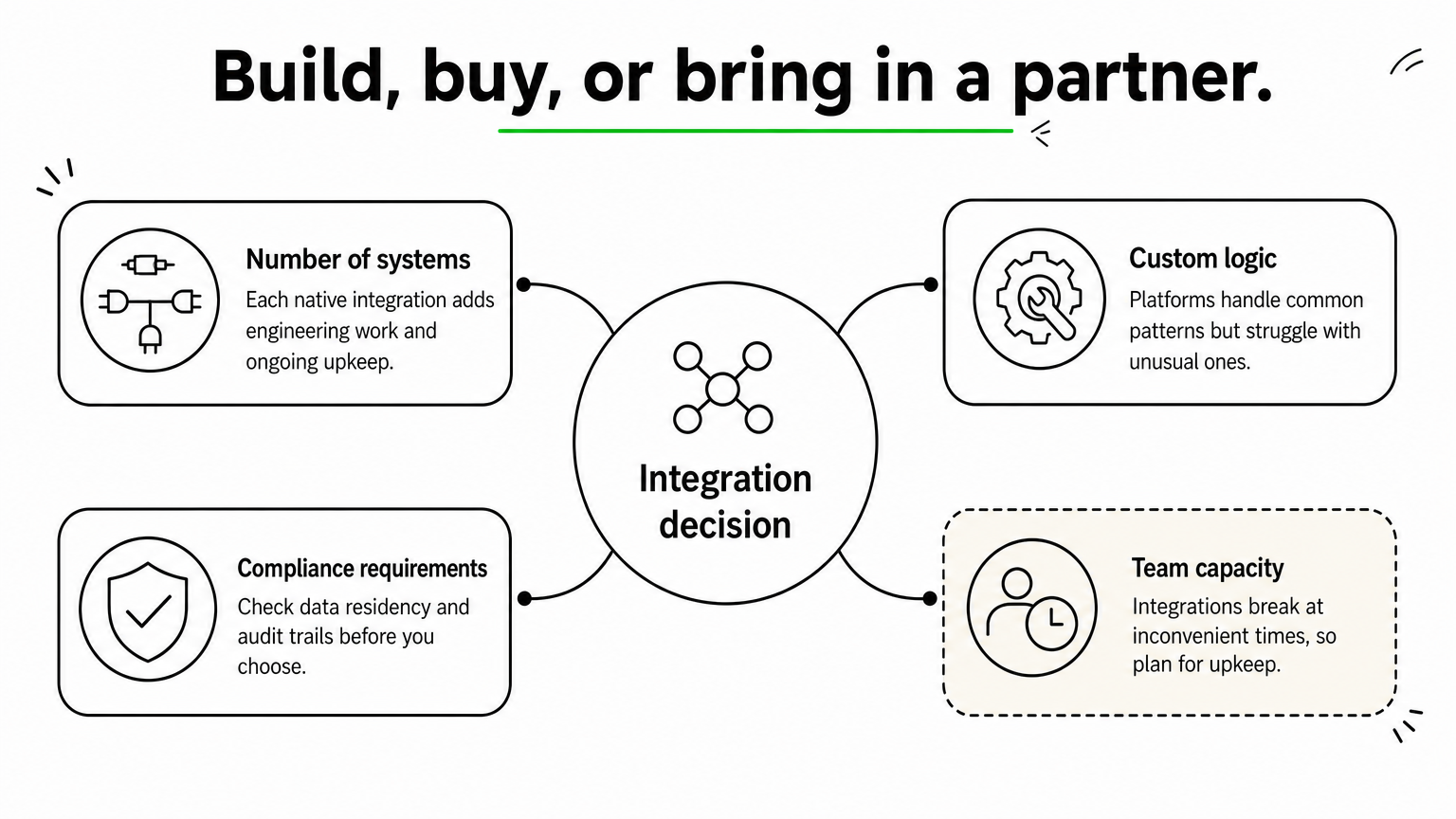
Build, buy, or bring in a partner
Weigh four factors. Count the number of systems you must connect, since each native integration takes real engineering and ongoing upkeep. Consider how much custom logic you need, because platforms handle common patterns well but struggle with unusual ones. Check compliance requirements such as data residency and audit trails. Finally, be honest about team capacity, because integrations break at inconvenient times.
If your engineers are better used on the product itself, buy the commodity connections and build only the parts that differentiate you. A partner with senior engineers can design that split with you and own the delivery.
Securing and operating integrated agents
An integrated agent holds real access to real systems, so security is part of the design, not a final check. Enforce user-level permissions, treat outside content as untrusted, and log everything the agent does.
Respect permissions on every call
The agent must never reveal or change anything the requesting user could not reach directly. If a user asks about a file they cannot open, the agent should return nothing about it, regardless of how the request is phrased. Pass the user’s identity through to each connected system where possible, and give any shared service account the least privilege it needs.

Treat outside content as untrusted
Agents read emails, tickets, documents, and web pages, and any of those can contain hidden instructions. This is called prompt injection, and it has caused real data leaks in agent setups that connected to code repositories. Defend against it by keeping retrieved text separate from instructions, allowlisting the tools each agent may call, and requiring human confirmation for high-risk actions such as deleting records or sending payments.
Monitor, retry, and plan for change
Integrations fail. Tokens expire, rate limits hit, and vendors change their APIs. Build for that from day one:
- Log every tool call with its inputs, outputs, and errors.
- Retry with backoff, and make write actions idempotent so a retry never creates a duplicate.
- Alert on error spikes and on unusual volumes of reads or writes.
- Track API versions and test again whenever a connected vendor announces a change.
If you cannot see what your agent did and why, you cannot trust it with more access.
Start with one connected workflow
AI agents integration comes down to a few decisions. Give the agent current data to read and limited actions to take. Match the method to how predictable the workflow is. Test on messy data, enforce permissions on every call, and log everything. Teams that follow this order ship agents that people actually rely on.
Pick the workflow where a missing connection costs you the most today, and build that one first. If you want a senior team to design and run the integration layer with you, have Hatzs Dimensions build your AI agent integrations from discovery through deployment and support.
هل تريدون تنمية أعمالكم؟
التصنيفات
صُمّم للجريئين
نساعد الشركات الطموحة على تحويل أفكارها إلى أنظمة ذكاء اصطناعي وبرمجيات ومؤسسات جاهزة للإنتاج. احصل على رؤى حول الذكاء الاصطناعي والأتمتة والتحول الرقمي تصلك مباشرة إلى بريدك الإلكتروني.
200+ حلاً تم تسليمها في 11+ قطاعاً، فلنبنِ معاً ما هو قادم.