











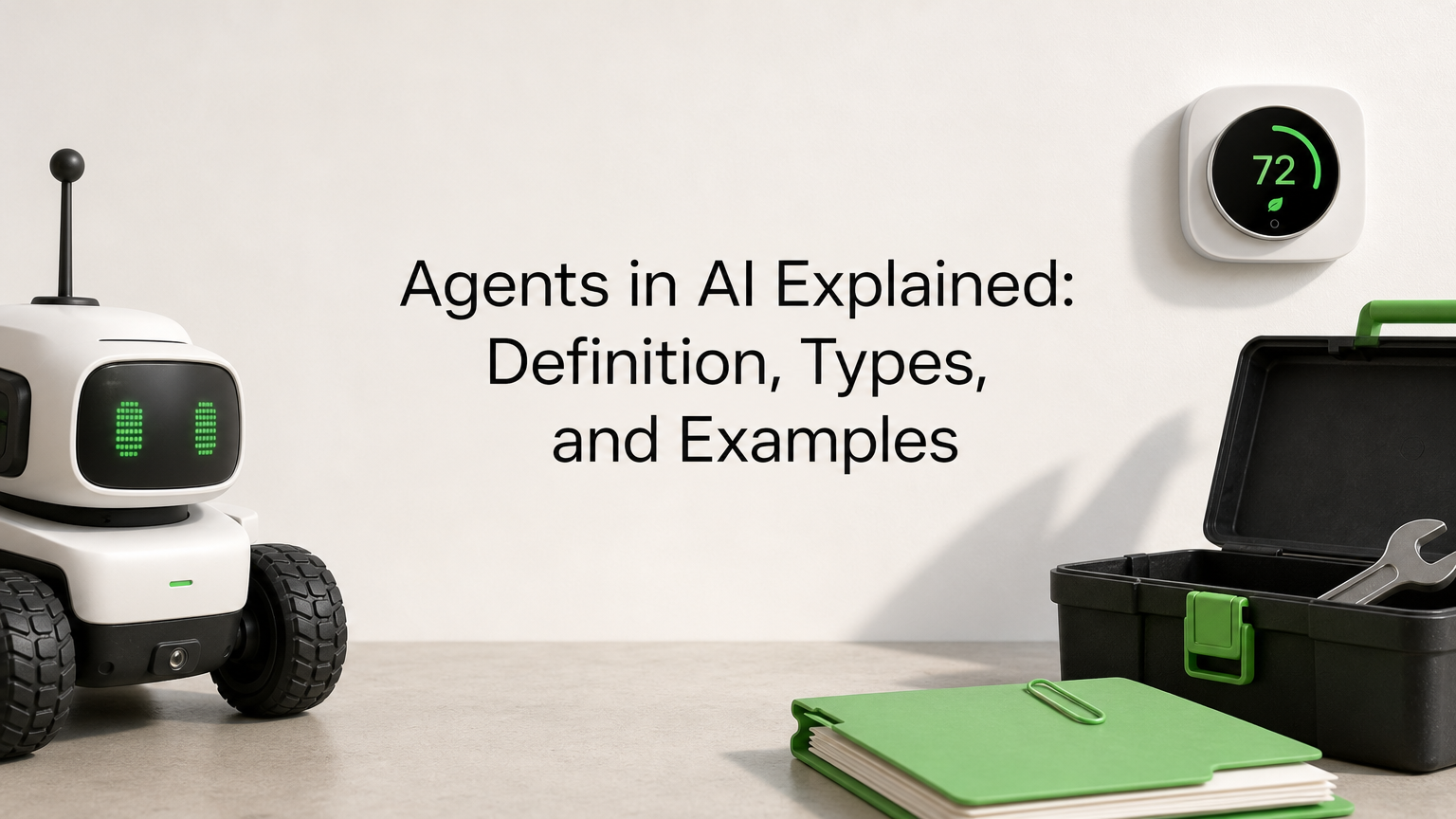
Agents in AI are software systems that perceive their environment, decide what to do, and take actions to reach a goal with little or no human direction. Today, most AI agents put a large language model (LLM) at the center and give it tools such as search, databases, and business software. The practical difference from a chatbot is simple. A chatbot answers, while an agent does the work.
This guide explains what AI agents are in plain terms. You will see why they matter, how they work step by step, the five classic types plus multi-agent systems, and how they differ from LLMs like ChatGPT. You will also get real examples you can recognize. The last section shows how to start without taking on needless risk.
Hatzs Dimensions builds AI agents for enterprises and growth-stage companies. The advice here comes from shipping agents into production, not only from textbooks.
Why AI agents matter
AI agents matter because they turn a goal into finished work across several systems, something chatbots and fixed scripts cannot do. For a business, that means less manual handoff time on repetitive, multi-step processes. For you as a reader, it explains why so many teams are rethinking how they automate.
They finish tasks instead of describing them
The main reason agents in AI matter is that they close the gap between knowing and doing. A chatbot can explain how to reschedule a delivery. An agent checks the order system, finds the next open slot, updates the record, and emails the customer. You give it a goal, and it works out the steps.

Classic automation, such as a script or a robotic process automation bot, follows a fixed path. It breaks when an invoice arrives in a new format or a required field is missing. An agent reads the situation, picks a different route, and handles the variation a rigid script cannot. That is the difference between a tool that follows steps and a system that chooses steps.
An agent turns a goal into a sequence of actions, and that is what makes it more than a chatbot.
Where the value shows up
The value concentrates in work that is repetitive, multi-step, and spread across several systems. Four patterns come up again and again:
- Time back on multi-step workflows. Claims intake, vendor onboarding, and lead qualification each touch three to six systems. An agent moves through them without waiting in anyone’s queue.
- Coverage around the clock. Agents do not need shifts, so requests that arrive overnight get handled before your team logs in.
- Consistent decisions. The same rules apply to the tenth case and the ten-thousandth, which matters in regulated work such as insurance and banking.
- Connected systems. Agents call APIs, so they bridge your CRM, ERP, ticketing tool, and email without a custom integration for every pair.
Why the timing is now
Agents are not a new idea. Researchers have studied them for decades, and the standard textbook on the field, Russell and Norvig’s Artificial Intelligence: A Modern Approach, is organized around the concept. What changed is the reasoning ability of LLMs. Earlier agents needed hand-written rules for every situation. An LLM can read an unstructured email, interpret the intent, and decide the next step in plain language.
Two other things matured at the same time. Tool calling lets a model request an action, such as a database query, in a structured format that software can execute. Open standards such as the Model Context Protocol, introduced by Anthropic in 2024, make it easier to connect agents to data and tools. Building a useful agent is now an engineering project rather than a research project.
Timing does not remove the limits, though. Every step an agent takes is a chance to be wrong, and errors compound across a long run. Section six covers how to pick work where that risk is manageable.
How AI agents work, step by step
An AI agent works by repeating a loop. It reads its goal and context, plans a next step, uses a tool to act, checks the result, and continues until the goal is met or it needs a human. That loop is what separates how AI agents work from a single prompt and reply.
The agent loop
Most agents, whatever the framework, follow the same six moves:
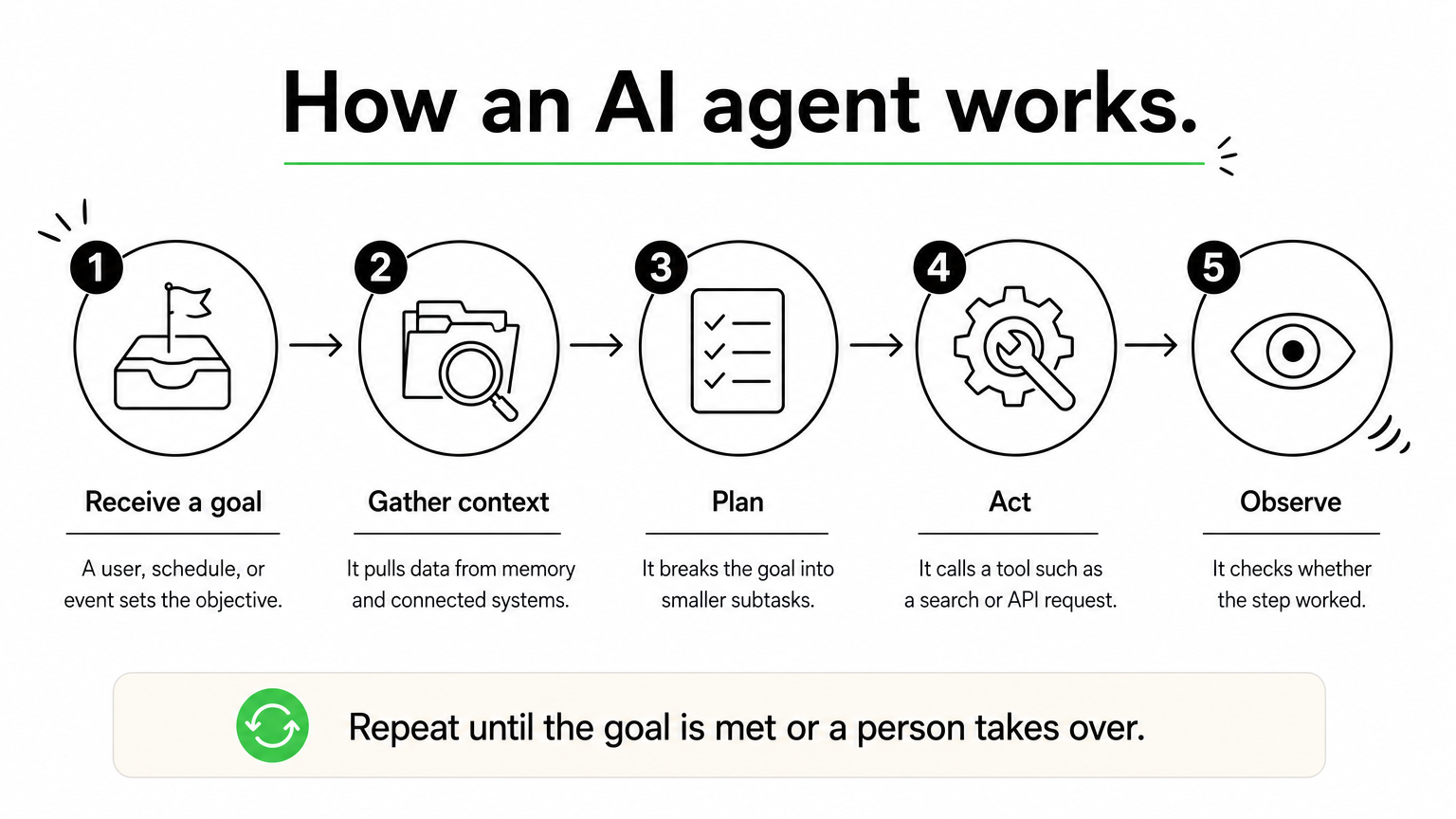
- Receive a goal. A user, a schedule, or an event such as a new support ticket triggers the agent with an objective and constraints.
- Gather context. It reads the input and pulls relevant data from memory, documents, or connected systems.
- Plan. The model breaks the goal into subtasks and picks the next one.
- Act. It calls a tool: a search, a database query, an API request, or a code run.
- Observe. It reads the tool’s result and checks whether the step worked.
- Repeat or stop. It updates the plan and loops again, finishes, or hands off to a person.
Two design patterns are common. In the ReAct pattern, the agent thinks, acts, and observes after every step, which suits tasks where the next move depends on what it just learned. In plan-first approaches, such as ReWOO, the agent drafts the whole plan before calling any tool. That cuts redundant tool calls and lets a person approve the plan before anything runs.
Every agent, simple or advanced, is a loop of deciding, acting, and checking the result.
The parts inside an agent
An agent is more than a model. It is a model wrapped in instructions, tools, memory, and controls. This table shows what each part does:
| Part | What it does | Example |
|---|---|---|
| Model (LLM) | Interprets instructions, reasons, and decides the next step | A hosted LLM reading an incoming claim email |
| Instructions | Defines the role, goal, rules, and limits | "Process first notice of loss. Never approve payouts." |
| Tools | Lets the agent act outside the model | CRM API, SQL query, web search, email sending |
| Memory | Holds context within a task and across tasks | Customer history, earlier decisions, past errors |
| Guardrails | Limits permissions and adds approvals, logs, and stop conditions | Human sign-off before a refund is issued |
Memory deserves a closer look. Short-term memory is the working context of the current task. Long-term memory is stored outside the model, usually in a database, so the agent can recall earlier cases and preferences. Without it, an agent starts from zero every time.
A worked example: claim intake
Picture an insurance agent that handles new claims. A customer emails photos and a description of damage. The agent reads the message, then queries the policy system to confirm coverage. It notices that the police report is missing and sends a request for it. When the report arrives, it summarizes the file for an adjuster.
Notice what the agent did not do. It never approved the payout. The instructions and permissions stop it at the summary, so a person makes the final call on money. Each step used a different tool, and each result changed what came next. That adaptive, tool-driven behavior is the whole idea behind agents in AI.
Types of AI agents
The classic taxonomy sorts AI agents into five types by how much they reason: simple reflex, model-based reflex, goal-based, utility-based, and learning agents. Each type adds a capability to the one before it. Modern systems also combine agents into multi-agent and hierarchical setups.
The five types compared
This table lines up the five types side by side:
| Type | How it decides | Memory | Everyday example |
|---|---|---|---|
| Simple reflex | Fixed if-then rules on the current input | None | A thermostat that starts heating at 8 PM |
| Model-based reflex | Rules plus an internal model of the world | Tracks state | A robot vacuum that remembers cleaned areas |
| Goal-based | Searches and plans action sequences toward a goal | Yes | A navigation system finding a route |
| Utility-based | Scores outcomes and picks the best trade-off | Yes | A route planner weighing time, fuel, and tolls |
| Learning | Improves from feedback and past results | Grows over time | A recommendation engine that sharpens with use |
Read the table top to bottom and you see a pattern. Simple reflex agents react to what they see right now. Model-based agents add a memory of the world. Goal-based agents look ahead, and utility-based agents weigh competing options instead of accepting the first path that works. Learning agents can sit on top of any of these and get better with experience.
Which type fits which job
Simple reflex agents are still the right answer when conditions are stable and fully observable. A rule that routes invoices under a set amount to automatic approval does not need an LLM. LLM-based agents are usually goal-based, because they plan steps toward an objective. They become utility-based when you give them scoring criteria, such as "minimize cost while keeping delivery under two days."
Learning needs a careful definition in business settings. It usually means the system stores feedback and improves its prompts, retrieval, and rules over time. It rarely means retraining the underlying model on the fly. Be skeptical of any vendor that claims an agent "learns by itself" without explaining where the feedback is stored and who reviews it.
Use the simplest agent type that does the job, because every extra capability adds cost and risk.
Multi-agent and hierarchical systems
A multi-agent system uses several agents in one shared environment. They can cooperate, compete, or both. A common setup has one agent that researches, one that drafts, and one that reviews. In a marketplace, one agent might represent a buyer while another represents a seller. Each agent has a narrow role, which keeps its instructions and tool list short and easier to test.
A hierarchical system adds a manager. A top-level agent plans and delegates, and worker agents execute. A drone delivery fleet works this way: one layer assigns deliveries, and each drone handles its own navigation. The structure mirrors a human team, but it also multiplies failure points and cost. Start with a single agent, and split it only when its instructions and tools become too crowded to manage.
How AI agents differ from LLMs and ChatGPT
An LLM generates text from a prompt. An AI agent uses an LLM as one component inside a system that plans, calls tools, remembers, and acts. The LLM is the brain, and the agent is the whole worker, including hands and a to-do list. Not every agent needs an LLM, since a thermostat is an agent without one.
Side-by-side differences
This table summarizes the practical gaps between a plain LLM or chatbot and an agent:
| Question | LLM or chatbot | AI agent |
|---|---|---|
| Main output | Text, code, or images | Completed actions and outcomes |
| Who controls the steps | You, prompt by prompt | The agent, within set limits |
| Access to outside systems | None unless added | Tools and APIs by design |
| Memory | Current conversation window | Short-term and long-term stores |
| Multi-step goals | One reply at a time | Plans and iterates |
| Main risk | Wrong or invented text | Wrong actions with real consequences |
The last row is the one executives should remember. A bad chatbot answer wastes a minute. A bad agent action can send an email, move money, or change a record. That is why agents come with permissions, logs, and approvals that a chat window never needs.
An LLM can say what should happen, while an agent can make it happen.
Is ChatGPT an agent or an LLM?
ChatGPT is a product built on LLMs. The underlying GPT models are LLMs, and ChatGPT is the application around them. In ordinary chat, it behaves as an assistant. You ask, it answers, and you decide the next step.
The label shifts when ChatGPT uses tools. When it browses the web, runs code, or works through a multi-step task using its agent features, the system decides the next step instead of you, and it acts agentically. The same holds for other chat products. Agency is a spectrum, not a brand. A good test is to ask who decides the next step and who carries it out. The more the system does both, the more agentic it is.
Examples of agents in AI
Examples of agents in AI range from a thermostat to a fraud monitor, and the business versions now include LLM-powered agents that handle claims, orders, and research. Looking at both ends shows that the concept is old and the current wave is about new capability, not new vocabulary.
Everyday examples
You have likely used agents without calling them that. A few familiar ones:
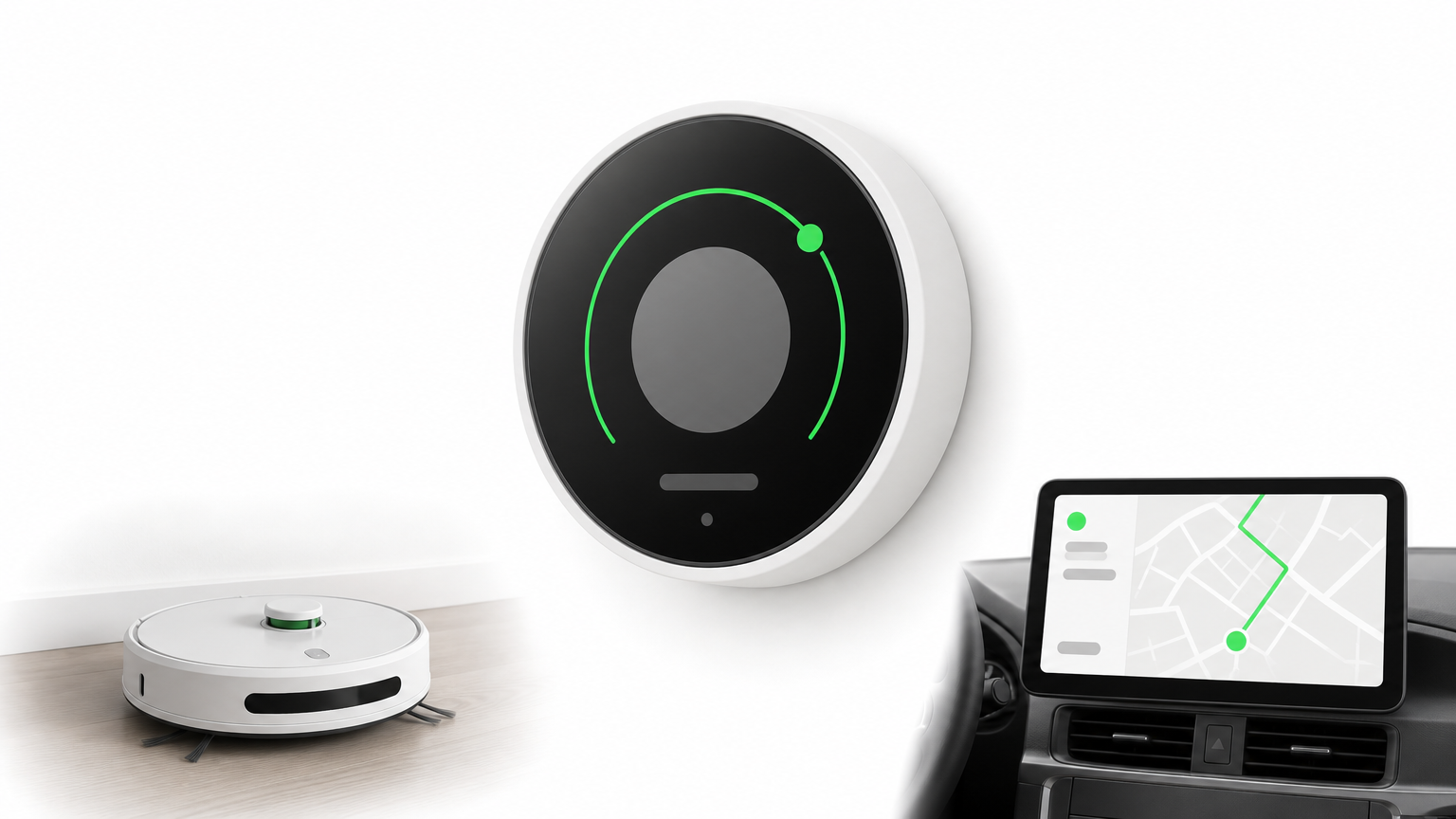
- Self-driving features read sensors, plan a path, and control steering and braking in a continuous loop.
- Smart home systems adjust heating, lighting, and energy use based on occupancy and time of day.
- Game opponents observe the board, plan moves, and respond to your play.
- Fraud detection systems watch transactions and flag or block those that look wrong.
Business examples
Business agents are most useful when they own a defined part of a workflow and hand off at clear points. This table shows realistic jobs and where the human stays involved:
| Industry | What the agent does | Human checkpoint |
|---|---|---|
| Insurance | Reads claim submissions, checks policy data, requests missing documents, drafts a summary | Adjuster approves payouts |
| Retail and ecommerce | Handles order status, returns, and exchanges across the order system and carrier | Staff handle disputes and exceptions |
| Logistics | Re-plans routes and notifies customers when delays occur | Dispatcher approves major changes |
| Banking and finance | Monitors transactions and assembles evidence for a case | Analyst decides on account actions |
| Healthcare | Drafts administrative paperwork and summarizes records | Clinician reviews before use |
| Software | Triages bug reports and proposes fixes in a test environment | Engineer reviews before merge |
What about lists of the "big" AI agents?
There is no official "big four" of AI agents. Lists that use the phrase usually name agent products from large vendors, and they change quickly. A vendor’s name tells you little about whether a product fits your work.
Judge any agent by four things instead. Check what tools it can use, what it is permitted to change, how its actions are logged, and where a person can step in. Those answers matter far more than the brand on the box.
How to start with AI agents safely
To start with AI agents, pick one narrow, high-volume workflow, give the agent limited permissions, keep a person on high-impact decisions, and measure results against a baseline before you expand. This approach keeps early failures small and gives you real data on whether agents in AI pay off for your business.
Choose the first workflow
The best first workflow is boring. It is frequent, well understood, and expensive in staff hours. Check it against these criteria:
- High volume. Hundreds or thousands of cases a month give you enough data to evaluate.
- A clear definition of done. You can say exactly what a correct outcome looks like.
- Accessible systems. The data and actions are available through APIs, not locked in screens.
- Cheap errors. Mistakes are caught easily and cost little to fix.
- Rules plus judgment. The work follows patterns but includes enough variation that scripts keep breaking.
Poor first picks are open-ended strategy work and anything that moves large sums without review. Save those for later, once the team trusts the system.
Set guardrails before launch
Guardrails are part of the design, not a late add-on. At a minimum:
- Least privilege. Give the agent only the permissions its job needs, and nothing more.
- Human approval for high-impact actions. Payments, mass emails, and contract changes need a person to confirm.
- Limits on steps and time. Cap the number of loops so a confused agent cannot run indefinitely or call the same tool repeatedly.
- Full action logs. Record every tool call and decision so you can audit what happened.
- A test set of real cases. Run the agent against past cases, including messy ones, before it touches live work.
Reliability math explains why these limits matter. If each step is 95% reliable, a ten-step run succeeds only about 60% of the time. Fewer steps and checks between them are the cheapest way to raise reliability. In regulated industries, add governance and compliance review from the start.
The safest agent is the one with the least access it needs and a person watching the actions that cannot be undone.
Measure and expand
Measure before you automate, so you have a baseline. Track handling time, resolution rate, escalation rate, error rate, and cost per task. Be careful with time savings. An agent that frees 20% of someone’s day does not automatically cut labor cost by 20%, so tie the metric to an outcome the business already tracks.
Then expand in stages. Run the agent in shadow mode, where it drafts and a person decides. Move to suggestions, then to actions with approval, and finally to autonomy for low-risk cases only. Hatzs Dimensions follows a similar path on client projects: discovery and planning, design and prototyping, development and testing, then deployment and support. Whether you build in-house or with a partner, widen autonomy only as the data supports it.
Where to go from here
AI agents are software systems that pursue a goal by looping through planning, acting, and checking results. An LLM usually supplies the reasoning, while tools, memory, and guardrails make it useful and safe. The five classic types show how much reasoning an agent has, and the right choice is always the simplest one that does the job. Chatbots answer, and agents act, so they need tighter controls.
If you are weighing where agents could remove manual work in your company, start with one workflow and one measurable goal. You can talk with Hatzs Dimensions about designing and building your first AI agent, from discovery through production support.
Want to grow your business?
Categories
Designed for the Bold
We help ambitious companies turn ideas into production-ready AI, software, and enterprise systems. Get insights on AI, automation, and digital transformation delivered to your inbox.
200+ solutions delivered across 11+ industries — let's build what's next.